With RxView you get access to basic features and will be able to view, measure and print 250 different file formats natively. Upgrade to RxHighlight and get access to extended functions and benefits, so you can work even more efficiently in processes and teams. See benefits and features down under.
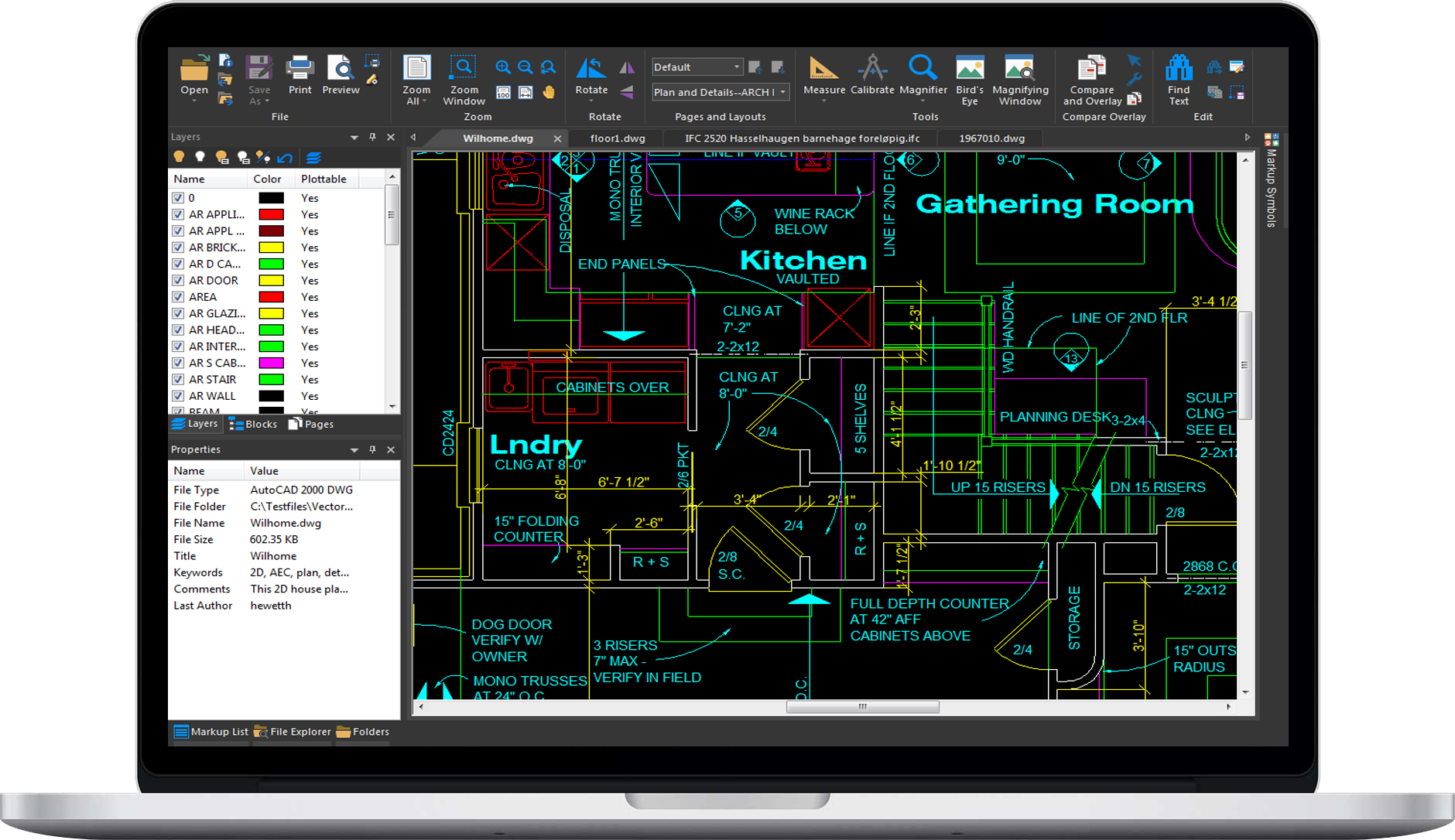
With RxView users can view, compare, and print any file formats without having to install other software.
It gives you smooth rendering, unmatched performance and intuitive navigation.
Our software is compatible with over 250 different file formats, including PDF, CAD, BIM, DWG, DOC, XLS, PPT and image files.
Less need for training, integrations and no compatibility issues. Our software requires no web-access and runs under Windows.
Access to native information, like CAD layers, BIM attributes, blocks, attributes, XREFs and more. No data loss during conversion.
Take advantage of the latest versions of supported file formats as they are released and our world-class support.
Work with CAD, BIM, office and image files.
Within a very intuitive and elegant interface, the viewer lets you overlay two or more versions of a drawing, to identify and highlight differences, progress and future steps.
Intelligent tools let you measure anything you want in a 2D or 3D model, for reliable and efficient cost-, time-, and material estimation.
Experience the various collection of print options built in our software and never worry about printing again.
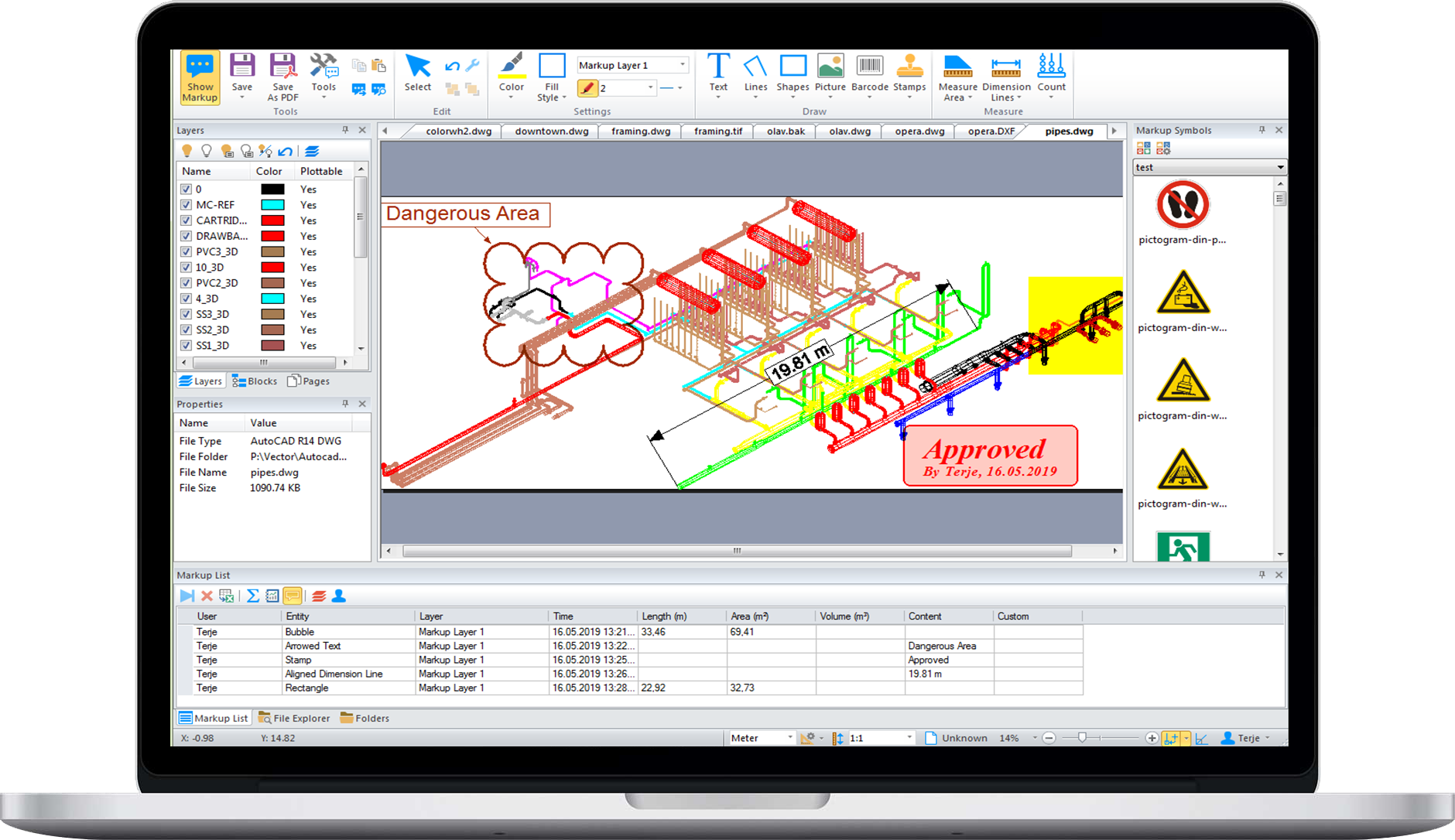
RxHighlight complements RxView with advanced features like annotating, file conversion and batch processing, printing and converting, allowing multiple users to efficiently merge information and share.
The viewer is optimized for accurate and reliable rendering utilizing the full power of a desktop software. Designed to handle big and complex files for AEC, CAD and BIM.
With these various tools, you make interaction easier for teams, projects and workflows in cooperation in real time, or any time.
Our software improves viewing, shortening the time it takes to make changes, and enhances the feedback process in organization.
An extensive set of markup-tools transform the viewer into a powerful engine for team collaboration. Make comments, add notes, highlights, stamps, measurements and more.
Convert any visible data or document files to another format, or create your data in JPEG, DWF or PNG format over the internet for easy archiving and sharing.
With a batch conversion set up, any file dropping into a folder will be automatically converted into given destination formats.
RxView supports hundreds of different file types and formats. Check out the full list here.

We're ecstatic that you're interested in trying out our RxHighlight. Fill in the form to get instant access to a free trial for 14 days without license. The program will run in a trial modus and will automatically terminate.
Sørengkaia 175
0194 Oslo
Norway
Call us (+47) 22 91 00 90
